_______________________________________________________

How to Reset Nokia X6


To hard reset your Nokia X6 32GB you just have to press *#7370# and press Dial. The phone will request the security code that is by default 12345. Please be aware that you will loose all the data in your phone, so you should backup all relevant information.

If you want to soft reset your Nokia X6 32GB you need to press *#7780# and then Dial. The security code is 12345. Once you complete this, your phone will come back to factory settings, but you will not loose personal data. Anyway it is recommended to make a backup before performing any of the mentioned procedures.

How to Reset Nokia C3


Basic Reset or Soft Reset

Lets see the basic first. This option restores the .ini files from the ROM. Does not erase data (photos, videos, documents) nor applications from a third party. Key Code *#7780# (click this combination of keys on the keyboard in the mobile)

Total Reset or Hard Reset
To hard reset your Nokia C3 (English) you just have to press *#7370# and press Dial. The phone will request the security code that is by default 12345. Please be aware that you will loose all the data in your phone, so you should backup all relevant information.

If you want to soft reset your Nokia C3 (English) you need to press *#7780# and then Dial. The security code is 12345. Once you complete this, your phone will come back to factory settings, but you will not loose personal data. Anyway it is recommended to make a backup before performing any of the mentioned procedures.

This option restores the original operating system from the ROM. Formats the C: partition and deletes all data including the memory card. Key Code *#7370# (click this combination of keys on the keyboard in the mobile)

You can also achieve Total Reset by pressing and holding down following keys: * + 3 + Green Button (call) immediately after turning the mobile on.

Important: To proceed to reset, the battery must be full and the mobile device connected to the charger. If during the course of reset, the mobile stop receiving electricity it can ruin the internal flash memory of the mobile device and stop function.

Free 100 java game

I want to share free 100 java games for you. This is for 128x160 pixel mobile phone. Just have fun with your phone ^_^

List of free java game available
  • Age of Empire 2
  • Age of Empire 3
  • Assassin Creed
  • Devil May Cry 3D
  • God of War
  • Metal Gear Acid
  • Street Fighter
  • ect

Download Link
http://www.4shared.com/file/rzcrgRHS/Java_Games_128x160_Packs_BY_RC.html

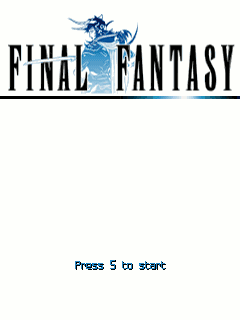
Final Fantasy


The famous game now on mobile phones! Before you Final Fantasy I - is the very first "Final Fantasy", which was the progenitor of all RPGs and having popularized the genre. The first game, as is known, appeared on the NES, but the developers have altered slightly this version before porting it to mobile phones so outdated graphics you will not see.

The game is set in a fantasy world consisting of three large continents. The forces of nature in this world, determine the status of four luminous crystals, each of which controls the relevant elements: earth, fire, water or wind.

Subject: the world collapsed unhappiness. All four control elements spheres extinguished one after another, which resulted in great distress sea filled with terrible storms, the land gradually ceases to bear fruit, devastating fires burning cities and forests. The only hope is a prophecy, saying that when times get dark times, will come four warriors of light and save the world.

Download Link

For Sony Ericsson (240x320)
http://www.ziddu.com/download/10578...20_se.jar.html

For Touchscreen (all resolution)
http://www.ziddu.com/download/10578...creen.jar.html

For Nokia s40v3 (240x320)
http://www.ziddu.com/download/10578...0_s40.jar.html

For Sony Ericsson (176x220)
http://www.ziddu.com/download/10578...20_se.jar.html

Nokia E71 and E66 get Ovi Maps free navigation


Nokia today announced the availability of Ovi Maps 3.3 (3.03) for the Nokia E71 and E66. The updated version brings the free worldwide pedestrian and car navigation edition of Ovi Maps to these devices. Nokia says the release is a result of listening to consumer feedback: 'you spoke, we listened', says the press release. The E71 and E66 versions do not include the Lonely Planet guides due to technical constraints, but the core navigation offering is the same as that found on more recent devices.

The process of making the latest version of Ovi Maps available for existing devices is quite involved, but the team managed to include complete navigation functionality. Due to technical constraints in back porting the app to existing devices, unfortunately, it wasn’t possible to offer further premium content such as the Michelin and Lonely Planet guides.


The announcement is a follow on from January 21st, when Nokia announced that Ovi Maps was going free.

In the press release, Nokia note that the E71 and E66 will be "the last of our S60 3.1 and older devices to sport this version of Ovi Maps". This means we will not be seeing free navigation support for the Nokia N95 and other S60 3.1 devices. However, as we noted in an earlier story Nokia have reduced the licenses prices significantly for pre-3.3 versions of Ovi Maps, which means navigation is available for older devices at a very low cost.

Ovi Maps 3.3 (3.03) on the E71 and E66

Ovi Maps is a relatively large install and will be placed on the C: drive, so you will need to ensure that you have enough free disk space (recommended 10MB or more) before installing the new version. It will replace any existing version of Ovi Maps or Nokia Maps that is installed on the device.

In usage there are occasions, as with earlier version on the Nokia E71, when Ovi Maps can feel somewhat sluggish compared to more recent devices. However the streamlined user interface is a significant improvement and the new version is a recommended install for all E71 and E66 users, not least for the availability of free car and pedestrian navigation.


Ovi Maps for the Nokia E71 and E66 will be made available via the maps.nokia.com website. It will also likely appear in the Ovi Store shortly.
eXTReMe Tracker